

Facebook and Instagram ads that bring customers, not just leads.
Nobody opens Instagram to look for a supplier. People scroll, and a good ad stops them when it speaks to exactly what is on their mind. We build and run the campaigns, and report every closed deal back to Meta, so it brings you more paying customers and fewer leads who never pick up.
What does a dental implant really cost?
On this page
What are Meta ads
Meta ads are paid ads you run through Meta Ads Manager. One campaign can appear on Facebook, Instagram, Threads, Messenger and Meta's network of websites and apps: in the feed, in Stories, in Reels and in more places.
How Meta decides who sees your ad
There is an auction here too, but it isn't for a search term. Every time someone scrolls, Meta picks which ad to show them out of all the advertisers targeting them. It ranks the ads on three things: how much you are willing to pay, how likely this person is to take the action you asked for, and the quality of the ad. Then it shows the ad with the highest total value. That is why an ad people stop for can beat a competitor who pays more.
What makes Meta different from Google
On Google you answer demand that already exists. On Meta you create it: you reach people who are a good fit to become your customers before they ever searched. The upside is that you can reach a large audience and explain a complex service. The challenge is that nobody asked to see your ad, so it has to stop the scroll in the very first second.
In one line: on Google, the ad answers a question someone already asked. On Meta, it has to make them ask it.
Campaign objectives, and where the lead is created
Every Meta campaign starts with choosing an objective. There are six: awareness, traffic, engagement, leads, app promotion and sales. The objective tells Meta who to show the ad to: people likely to watch, click, leave their details or buy. For businesses that sell a service, the objective is leads in most cases. Then you choose where the lead is created, and this is where the differences are big:
A form inside the app Instant Forms
The form opens inside Facebook or Instagram, with the details already filled in. It is the fastest way to get a lead, and so also the easiest way to leave details without thinking. Qualifying questions and a confirmation screen make the difference.
A landing page on your site Website + Pixel + CAPI
The click leads to your page. That asks more of the visitor, so you usually get fewer leads, and they are more relevant. You need the pixel and the Conversions API, so Meta knows who left their details.
A WhatsApp chat Click to WhatsApp
The ad opens a WhatsApp chat with the business. A good fit when people want to ask before they leave their details, as long as someone answers fast, evenings included.
A phone call Calls
Tapping the ad calls the business directly. A good fit for services that close over the phone, and for businesses with someone answering all day.
Retargeting Custom Audiences
Ads for people who already watched a video, visited the site, or opened the form and didn't finish. A small audience, but a warm one, and usually where a lead costs the least.
Sales and catalog Sales + Catalog
For online stores: ads built from your product catalog that show each person the products most likely to interest them, including what they already looked at on the site.
How much do Meta ads cost
Here too, the cost has two separate parts: the ad budget, paid directly to Meta, and the management fee, paid to whoever runs the campaigns.
The ad budget
You set a daily budget, or a budget for the whole campaign. On a day with good opportunities Meta can spend more than the daily budget, but over a week it won't go past what the daily budget adds up to. In most campaigns the price is set by impressions, and it changes with the audience, the season and the competition. In the last quarter of the year, around the holidays and Black Friday, more advertisers compete for the same people, and impressions get more expensive.
The management fee
There are three common models: a fixed monthly fee, a percentage of the ad budget, or a mix of the two. With us, the price depends on the scope of work and the ad budget, and you know it before we start. The scope of work depends mainly on four things:
- How many services or audiences you advertise, and how many campaigns they need.
- How much creative you need: videos, images and carousels, and how often they are replaced.
- Whether you need a landing page or a sales video built.
- How many channels we run at the same time: Meta only, or Google too.
The number that really matters: what a customer costs
A cheap lead who never picks up the phone costs more than an expensive lead who becomes a customer. That is why we measure cost per deal, not just cost per lead. You can only do that when ad data and sales data sit in the same place, and that is the job of the CRM.
How we run Meta campaigns
Seven steps, from the first audit to growing the budget. If you want to see how a campaign is actually set up, you will find it in the setup guide further down this page.
An audit of the ad account and the CRM
We go through what has been running so far: the campaigns, audiences, ads, forms, the pixel and the Conversions API. At the same time we check in the CRM which leads became deals, and where they came from.
Who the customer is, and what will stop them
Before we write an ad, we define who we are talking to: what hurts, what they have already tried, and what will convince them. That gives us the angles: several different ways to tell the same story.
Creative
Videos, images and carousels, in several angles at once and in a vertical format that fits Reels and Stories. On Meta, the ad itself does a large part of the targeting: it picks who stops for it.
Form, landing page and tracking
A form with questions that filter out people who aren't a fit, or a landing page that carries on from the ad. We connect the pixel and the Conversions API, and every lead enters the CRM with the campaign, audience and ad that brought it.
Launch and the learning phase
In the first days the system learns who to show the ads to. We watch lead quality closely, and we don't change everything every day, so the campaign doesn't go back to learning from scratch.
Improving by deals
This is where the CRM comes in. Every closed deal is reported back to Meta, and the system learns to look for more people like the customers who paid, not like the people who only fill in forms. At the same time we see which ads and angles bring deals, and make more like them.
Scaling
When ads bring deals at a price that pays off, we raise the budget gradually and add new angles and audiences.
What you get when you work with us
- The ad account, Page and pixel in your nameEverything sits in your business portfolio. The account, the data and the history stay yours, even if you decide to stop.
- A CRM included in the priceEvery lead comes in with the campaign, audience and ad that brought it, and you see what happened with it all the way to the close.
- A status call every week, and a report every two weeksBy campaign, audience and ad: what worked, what didn't, and what we do next.
- Month to monthNo contract and no commitment period.
- Ongoing availabilityUpdates, questions and ideas on WhatsApp, by phone and in meetings.
How to choose a Meta ads agency
Six questions worth asking any Facebook and Instagram ads agency or freelancer before you sign. Us included.
- Whose name is the account in?The ad account, the Page and the pixel should sit in your own business portfolio. If they sit with the agency, the day you leave you start from zero.
- How do they measure success?Cost per lead is only the start. Ask how they know which leads became deals, and whether that information goes back to Meta.
- Who makes the creative, and how much of it?On Meta, ads wear out fast. Ask how many new ads go live each month, and who writes and shoots them.
- What is in the report, and how often?A good report shows what worked, what didn't, and what happens now. Charts alone are not enough.
- Is there a commitment?When you work month to month, whoever runs your campaigns has to prove themselves again every month.
- Did they ask about your business?If they didn't ask about your margins, what a customer is worth to you and how your sales process works, they can't know how much a lead is worth paying for.
Who it's for, and who it isn't
Meta ads are a good fit if
- Your service needs explaining, or customers don't know yet that they need it.
- Your service or product costs at least ₪3,000, so one deal covers a lot of leads.
- You already advertise, or have in the past, and there is data to learn from.
- Someone on your side calls leads back fast. A Meta lead who waits a few hours has already forgotten they left their details.
Less of a fit if
- Customers only look for you when something is urgent, like a locksmith or a tow truck. Google suits that better.
- You have never advertised before. We need an advertising history to work with.
- Your service costs less than ₪3,000.
Setting up a Meta lead campaign, step by step
A lead campaign is set up in ten steps: business portfolio, tracking, objective, performance goal, budget, audience, placements, creative, form, and a check before launch. This is the order we work in, and what to watch for at each step.
Set up the business portfolio
A Facebook Page, an Instagram account and an ad account, all inside a business portfolio in the business's name. That way the assets are yours, and whoever works on them gets access, not ownership.
Connect the pixel and the Conversions API
The pixel reports from the browser, and the Conversions API reports straight from the server or the CRM. Use both, because some events never pass through the browser. Without reliable tracking the system doesn't know who left their details, and it can't learn.
Choose the objective: leads
Then choose where the lead is created: instant form, website, WhatsApp or call. The section on lead forms and landing pages helps you decide.
Choose the performance goal
The default is as many leads as possible. When the CRM is connected to Meta through the Conversions API and reports what happened with each lead, you can choose the qualified leads goal (Maximize number of qualified leads), formerly called Conversion Leads. Meta then looks for people likely to become customers, not just people likely to fill in a form. Since April 2026, that connection is required to choose this goal in a new campaign.
Set the budget
A budget that lets the system collect enough results to learn. According to Meta, an ad set exits the learning phase after about 50 results in the week following its last significant edit. On a small budget, one strong ad set is better than several weak ones.
Define the audience
Location, age and language, and then let the system search. In most of the accounts we see, a broad audience (Advantage+ audience) works better than a long list of interests, because the ad itself does the filtering. Custom audiences, like people who watched a video or visited the site, are for retargeting.
Leave placements open
The default (Advantage+ placements) shows the ad everywhere: Feed, Stories, Reels, Threads and more, and moves the budget to wherever results are good. It is usually worth keeping, as long as every ad has a vertical version.
Upload several ads that are genuinely different
Different angles, different formats and different openings. Not the same video in three colors. More on this in the creative section.
Build the form
Qualifying questions: budget, area, and when they need the service. An intro screen that explains what they get, and a completion screen that says what happens next. There are three form types. More volume is the default, and aims for as many leads as possible. In a Higher intent form, people review and confirm their details before they send, which cuts leads sent by mistake. Rich creative adds images, brand colors and more room to explain. And if leads come in with wrong numbers, you can add phone verification by SMS.
Check before you launch
Send a test lead with Meta's testing tool, and check that it reached the CRM with all the details. Make sure the ads were approved, the links work and the budget is right.
Instant form, landing page or WhatsApp
This is one of the decisions that affects lead quality on Meta the most. There is no single right answer: it depends on the service, the price and who calls the leads back.
| Instant form | Landing page | ||
|---|---|---|---|
| What people do | Fill in a form inside Facebook or Instagram, with the details already filled in | Go to the site, read, and fill in a form | Open a chat with the business |
| Number of leads | Usually the most | Usually fewer | Depends on how fast you answer |
| Lead quality | The most variable. Qualifying questions help | Usually higher: people read before they reached out | High when you answer fast, low when you don't |
| What you need | A form with qualifying questions, and a CRM connection | A fast page, the pixel and the Conversions API | Someone who answers, evenings included |
| Best for | A service that is easy to understand, and someone who calls leads back within minutes | A service that needs explaining, or a high price | A service people want to ask about before they commit |
In practice we test more than one. And once the CRM shows which leads became deals, it is clear what works: not what brings the most leads, but what brings the most customers.
The rule: a lead from an instant form goes cold fast. Someone who left their details between two videos doesn't always remember it a few hours later. If nobody calls back quickly, a landing page that filters is the better choice.
Creative that stops the scroll
On Meta, creative does a large part of the work that targeting used to do. The system learns who to show each ad to based on who responds to it, so an ad that talks about a specific problem will find the people who have that problem. These are the things that matter most:
- The first three seconds. The opening decides whether people keep watching. Open with the problem, the result or a question, not with the logo.
- Vertical, with captions. In Reels and Stories people watch full screen, often with the sound off. A 9:16 video with captions fits there, and Meta now recommends it for videos in the Instagram feed too. In the Facebook feed, and for images, use 4:5. Keep text away from the edges, because the interface covers the top and bottom of the screen.
- Real people. The business owner talking to camera, a customer telling their story, before and after. In most of the fields we work in, this works better than a polished production.
- Several angles, not several colors. An ad about the price, an ad about the fear, an ad about the result. Each one finds a different audience.
- Replace ads before they wear out. When frequency goes up and results go down, the audience has seen the ad too many times.
In Mucho Data, every ad is tagged by its audience, pain point, angle and offer. So you see not just which ad brought deals but which angle did, and you know what to shoot next.
Seven mistakes that cost money on Meta
These are the things we find most often when we audit an existing ad account.
Chasing the cheapest lead
A campaign that brings cheap leads looks great in the report, until you call them. Meta will bring exactly what you asked for: people who find it easy to fill in forms.
Splitting the budget across dozens of ad sets
Each ad set gets too few results to learn, and they all stay stuck in the learning phase.
Narrowing the audience too much
A long list of interests makes impressions more expensive, and doesn't necessarily bring better-fit people. In most cases the ad filters better than the targeting.
Pixel only, without the Conversions API
Some events never arrive, and the system learns from a partial picture.
The same ad for months
The audience stops noticing it, and the cost per lead slowly creeps up without anyone noticing why.
A form with no qualifying questions
Name and phone only. Anyone who tapped by mistake, or was just curious, counts as a lead.
Changing something every day
A significant change to the budget, the audience or the ads sends the ad set back into the learning phase. If you change things every couple of days, it never gets to settle.
What changed on Meta in 2025 and 2026
As of November 2026. Eight changes that affect anyone advertising on Meta today, each with its source.
- October 2026
Video from images, inside Ads Manager
Creating a video from several still images is now available to all advertisers, in the Advantage+ creative tools. That helps a business that doesn't have much video. Planning and building a whole campaign in a conversation with Meta's assistant has been announced, but isn't available yet.
Source: Meta for Business news
- April 2026
The qualified leads goal needs a CRM connection
The goal formerly called Conversion Leads is now called Maximize number of qualified leads. Since April 2026 you can't choose it in a new campaign without a Conversions API connection that reports what happened with each lead, and from August 2026 this applies to existing campaigns too. For Meta to look for customers and not just form fillers, your CRM has to talk to it.
Source: Meta Business Help Center
- March 2026
A change in how click conversions are counted
A conversion is credited to a click only if someone clicked a link. Conversions after a share, a save or another kind of click moved to a separate category (engage-through), and an engaged video view now counts after 5 seconds instead of 10. Billing didn't change, but click conversions can drop in the report without performance dropping.
Source: Meta for Business news
- October 2025
Upgrades to lead campaigns
One campaign can collect leads from both a website form and an instant form. You can require phone verification by SMS in an instant form, and the monthly lead minimum for connecting a CRM through the Conversions API was dropped, so even a small business can report deals to Meta.
Source: Meta for Business news
- February to October 2025
Advantage+ is the default in lead campaigns
You no longer choose between a manual campaign and an Advantage+ campaign. A campaign counts as Advantage+ when the audience, placements and budget are open to automation. In October 2025, Advantage+ lead campaigns opened worldwide, and today this is the default in every campaign with the leads objective. Narrowing any one of these settings turns Advantage+ off, so only narrow them when there is a reason.
Source: Meta's Advantage+ page
- 2025 and 2026
New places for ads: Threads and WhatsApp Status
Ads on Threads opened to all advertisers in 2025, and since late January 2026 they are shown to all users. The placement is added to campaigns automatically. Meanwhile, Meta began showing ads in WhatsApp's Updates tab, gradually and not in every country. Fields like health, pharmaceuticals and financial products can't advertise there.
Source: Meta for Business news, Meta developer documentation
- April 2025
Creative variety instead of narrow targeting
Meta explained that the system that decides which ads are candidates to be shown at all (Andromeda) works best with real variety: different topics, messages and visuals, not several versions of the same ad. According to Meta, the thing that matters most has shifted from narrow targeting to creative variety.
Source: Meta for Business news
- March 2025
The end of detailed targeting exclusions
You can no longer exclude interests and behaviors from an ad set, and the exclusions were removed from active campaigns too. Excluding custom audiences, like existing customers, still works. In June 2025 Meta also merged many interests into broader groups, and campaigns that kept using the removed interests stopped running in January 2026.
Source: Meta Business Help Center
Meta or Google
On Google you answer demand that already exists: someone searches, and you show up. On Meta you create the demand: you reach a precise audience before it has started searching.
| Meta (Facebook, Instagram) | Google (Google Ads) | |
|---|---|---|
| What people are doing | Scrolling, not looking for anything | Searching for exactly what you sell |
| How you reach them | Through the audience and the ad | Through search keywords |
| What you pay for | In most campaigns, impressions | In most campaigns, clicks |
| What makes the difference | An ad that stops the scroll | An ad that answers the search |
| What it's good for | Creating demand, and explaining a complex service | Catching demand that already exists |
Often the combination wins: Meta builds familiarity, and Google catches the search that comes after it. More on that on our Google Ads page.
A short glossary: the terms you'll see in reports
- Impressions and frequency
- How many times the ad was shown, and how many times on average each person saw it. Frequency going up while results go down is a sign the ad has worn out.
- Cost per thousand impressions (CPM)
- What you paid for 1,000 showings of the ad. It changes with the audience, the season and the competition.
- Click-through rate (CTR)
- The share of people who saw the ad and clicked on it.
- Cost per lead (CPL)
- What one lead cost on average. We also look at the next step: what a closed deal cost.
- Meta Pixel
- Code on your site that tells Meta what a visitor did: viewed a page, left their details or bought.
- Conversions API
- A connection that reports to Meta directly from the server or the CRM, without depending on the browser. It is also how closed deals are reported.
- Lookalike audience
- An audience Meta builds from people similar to a list you gave it, for example your existing customers.
- Attribution setting
- How long after someone saw or clicked the ad Meta still credits it with the conversion. The default: 7 days after a click, 1 day after a view and 1 day after engagement.
- Learning phase
- The time when the system works out who to show a new ad set to, or one that was changed significantly. Performance is less stable during it, and according to Meta it ends after about 50 results in a week.
Frequently asked questions about Meta ads
How much do Facebook and Instagram ads cost?
There are two parts: the ad budget, which is paid to Meta and which you set, and the management fee. The price of impressions changes with the audience, the season and the competition. Our management fee depends on the scope of work and the ad budget, and you know it before we start.
How soon will I see results?
Leads can arrive in the first days after the ads are approved. To know which ads and audiences bring paying customers, you need to collect data, and how long that takes depends on your budget and the length of your sales process.
Why don't my Facebook leads answer?
Usually because of one of three things: the form is too easy and has no qualifying questions, the ad talks to everyone instead of a specific customer, or the leads are called back hours later. On top of that, Meta learns to bring more of the same kind of people, because it doesn't know which leads became customers. Reporting deals back to Meta changes that.
Do we have to use video?
No, but it helps. A lot of the time on Meta is spent in Reels and Stories, and a short video that shows the service or the business owner works well there. Images and carousels work too, especially for retargeting.
Facebook or Instagram?
You don't have to choose. One campaign in Ads Manager runs on both, and Meta moves the budget to wherever the results are better. You can limit it to one platform, but in most cases there is no reason to.
What's the difference between a campaign and boosting a post?
The "Boost post" button on Facebook and Instagram is a cut-down version of Ads Manager, with fewer objectives and less control over the audience and tracking. It is good for getting more reach for a post. To bring in leads and measure what happened with them, you build a campaign in Ads Manager.
Does the ad account stay mine?
Yes. The ad account, the Page and the pixel sit in your business portfolio, together with all the data and history. If you decide to stop, everything stays with you.
Is there a commitment?
No. We work month to month, with no contract.
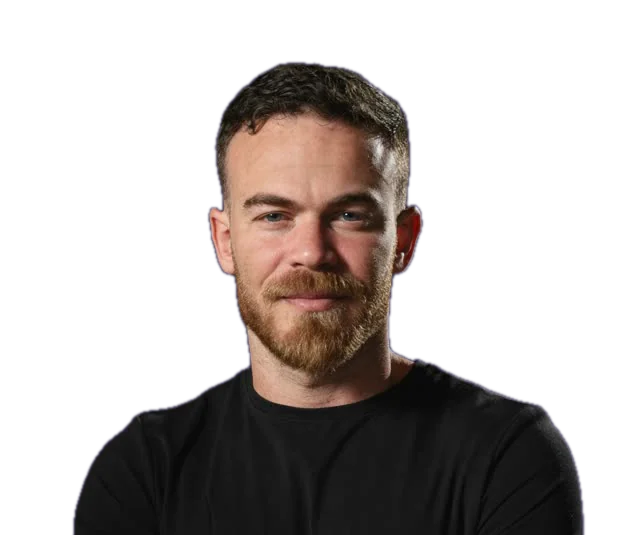
Gaston VaknudelFounder of Mucho Media. More than 5 years in paid advertising, ₪7M+ in managed ad budgets and more than 30 businesses, mostly in B2B and service businesses. More about Gaston
Intro meeting
Let's see if we're a good fit
A free 45-minute intro meeting, with no commitment. We go through your ad accounts and your CRM together, and you leave knowing what works, what doesn't, and what to do next.
- Your ad accounts and data stay in your name
- Month to month, no contract
- The CRM is included in the price
Leave your details and we'll call to set a time
Only your name and phone are required. The rest helps us prepare for the call.
Rather talk? +972 55-261-3938 or WhatsApp