

MUCHO DATA
The lead management CRM that shows what each campaign brings in.
The CRM we built for businesses that advertise with us. Every lead comes in with the campaign and the ad that brought it, and you and/or your sales team update what happened with it, even from a phone. Every deal you close is sent back to Google, Meta and TikTok, so the campaigns find more customers like it.
On this page
What is Mucho Data
Mucho Data is a lead management CRM we built for businesses that advertise on Google, Meta and TikTok. It does what a CRM does: it keeps all your leads in one place and shows who is handling each one and who needs a call back today. Beyond that, it connects the money going out on ads to the money coming in from deals.
Why we built it
The ad platforms know how many leads came in and what each one cost. They don't know which of them picked up the phone, who came to a meeting and who paid. That information sits with the sales team: in a spreadsheet, on WhatsApp or in someone's head. Connect the two sides and you see which campaign really brings in money, and the algorithm gets the information it needs to find more customers like those.
In one line: Mucho Data ties every closed deal to the click that started it, and feeds that information back to the ad platforms.
The system is included in the management fee for every business whose campaigns we run. We connect it to your ad accounts, set up the stages and take care of the integrations. You and/or your sales team update what happened with each lead.
How it works: from click to deal
Four steps that repeat with every lead.
The lead comes in, with its source
From a Meta lead form, a form on your website or landing page, or entered by hand. Every lead arrives with the platform, campaign, audience and ad that brought it, with no copying and pasting.
Your sales team updates it
Whoever handles the lead marks what happened: contacted, meeting set, deal closed and for how much, or why the lead dropped out. From a computer or a phone, in a few seconds.
The deal goes back to the platforms
When a lead becomes qualified or turns into a deal, the system reports it to Google, Meta, TikTok and GA4. That way the algorithm knows who actually bought, not just who filled in a form.
You see what each campaign brings in
The dashboard connects spend to deals: revenue, return on ad spend and cost per deal, by campaign, audience and ad. That's where you decide where the budget goes.
13 stages for tracking every lead
A lead isn't just "hot" or "cold". On the way to a deal it moves through stages, and each stage tells you something different about the campaign that brought it. Mucho Data has 13 fixed stages, always in the same order:
In progress
- New
- Contacted
- Follow-up
- No answer
- Qualified
- Meeting
- Meeting held
- No-show
- Opportunity
The deal
- Deal closed
Dropped out
- Not qualified
- Lost
- Invalid
What else is saved on every lead
- Lead quality: low, medium or high.
- The next call and the next action, so you know who to call back today and who has been waiting too long.
- The deal value when it closes, and the reason when a lead drops out.
- Each lead's history: when it came in, what changed and when.
- Whether the lead has already been reported to the ad platforms.
"No answer" and "Not qualified" sound like small details. In practice, they are what separates a campaign that brings lots of cheap leads from a campaign that brings customers.
Why report deals back to the platforms
The Google, Meta and TikTok algorithms learn from what you report to them. Report every form that was sent, and they find more people who fill in forms. Report who became a qualified lead and who bought, and for how much, and they look for more people like that.
| What you report | What the algorithm learns to look for |
|---|---|
| Every form sent | People who fill in forms, including people who never meant to buy |
| A qualified lead | People who are a good fit for your service |
| A closed deal, with the amount | People who buy, and in bigger deals |
How it works technically
Mucho Data sends the updates through each platform's official channels: Meta's Conversions API, TikTok's Events API, offline conversions to Google Ads, and events to GA4. On every lead you can see whether the update was sent. What counts as a "qualified lead" is something we define together with you, based on your business.
It works even when the deal closes far from the website: on the phone, in a meeting or after two weeks of thinking it over. As soon as the stage is updated in the system, the platform knows.
Sales dashboard: what every shekel brought in
The dashboard connects your advertising data to your sales data, for any date range and compared with the previous period. You can break it down by platform, campaign, audience and ad.
- Spend
- Leads
- Qualified leads
- Cost per qualified lead
- Meetings
- Deals
- Close rate
- Revenue
- Return on ad spend (ROAS)
Performance by campaign
Example for illustration| Campaign | Cost per lead | Deals | Cost per deal |
|---|---|---|---|
| Meta · VideoEarly signal | ₪222 | 4 | ₪500 |
| Google · SearchEnough data | ₪214 | 3 | ₪1,000 |
| Meta · Lead formEnough data | ₪161 | 1 | ₪5,000 |
| Google · RemarketingNot enough data | ₪200 | 0 | - |
How much data is enough
One deal isn't a trend yet. So next to every comparison in the dashboard there's a label showing how much data stands behind it: not enough data, early signal, enough data or strong signal. That way budget doesn't move because of a coincidence, and even the best-paying campaign gets more budget gradually.
Goals, pace and alerts
You can set monthly goals, such as the number of leads, cost per lead and number of deals, and see whether you're on pace before the month is over. When something goes off track, say cost per lead jumps, the system alerts us and we check what happened.
For your sales team: the leads on their phone
People who sell don't need another complicated system. Each salesperson gets a simple leads screen that works well on a phone: their leads, who to call back today and what's next. Updating a stage takes a few seconds.
- Today, overdue and laterEvery morning they see who needs a call back, and who has been waiting too long.
- Updates in a few tapsContacted, meeting set, deal closed and for how much. No long forms.
- Only what they need to seeA salesperson sees the leads, without dashboards or settings. Your marketing manager can get wider access.
What we learn from the data
Mucho Data works for us too. Every ad is tagged by the audience it speaks to, the pain it addresses, its angle and its offer. Once deals are connected to ads, you can ask a better question than "which ad brought a cheap lead": which message brings customers who pay.
Automatic insights also run on this data. Each insight comes with the data it rests on and its confidence level, and we check it before it turns into a decision. What we learn goes into the next ads and comes up in the weekly status call.
Mucho Data vs. a generic CRM
General-purpose CRMs are good at managing customer relationships in any field. Mucho Data was built around one question: what your advertising brings in. These are the main differences:
| Generic CRM | Mucho Data | |
|---|---|---|
| Where the lead came from | A "source" field someone fills in, or an integration you have to set up | The platform, campaign, audience and ad, automatically |
| Reporting deals to the platforms | Possible, usually through an extra integration | Built in: Google, Meta, TikTok and GA4 |
| Cost per deal by campaign | Export to a spreadsheet and do the math | In the dashboard, compared with the previous period |
| Who connects and maintains it | You, or whoever you hire for it | We do |
| Cost | A monthly subscription, usually per user | Included in campaign management |
Already have a CRM your team is used to? We'll talk about it in the intro meeting and see what's right for your business.
Your data, and who sees it
- Access by invitation onlyThere's no open sign-up. Every user gets a personal invitation.
- Each business sees only its own dataOne business's leads and data never show up for any other business.
- Permissions per userView, edit or manage, separately for each part of the system.
- Export any timeYou can export your leads to a CSV file whenever you want.
Common questions about Mucho Data
How much does Mucho Data cost?
It's included in the campaign management fee, with no extra charge and no per-user subscription.
Can I use Mucho Data without campaign management?
Not at the moment. The system is built around the campaigns we manage: the connection to the ad accounts, the reporting back and the dashboard. It's part of the service.
Which leads go into the system?
Leads from Meta lead forms, from forms on your website and landing pages, and leads you add by hand or import from a file. Every lead comes in with its source.
What are offline conversions?
A deal that closed away from the website, on the phone or in a meeting. When it's reported to Google, Meta or TikTok, the algorithm knows which click led to money, and learns to look for more people like that.
Does the sales team need training?
A short one. The leads screen is simple and works on a phone. We go through it together at the start, and from then on it's a few seconds' update per lead.
Do we have to update every lead?
As many as you can. Every update teaches the campaigns something. A lead that isn't updated stays at the stage it came in at, and then both the dashboard and the platforms know less about it.
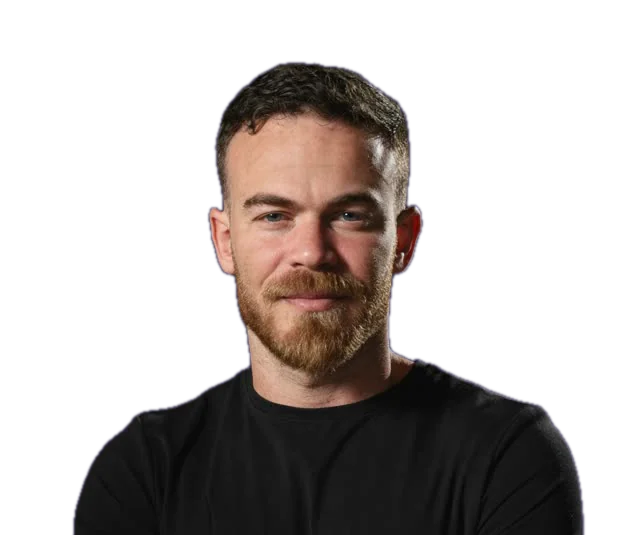
Gaston VaknudelFounder of Mucho Media. More than 5 years in paid advertising, ₪7M+ in managed ad budgets and more than 30 businesses, mostly in B2B and services. More about Gaston
Intro meeting
Let's see if we're a good fit
A free 45-minute intro meeting, with no commitment. We go through your ad accounts and your CRM together, and you leave knowing what works, what doesn't, and what to do next.
- Your ad accounts and data stay in your name
- Month to month, no contract
- The CRM is included in the price
Leave your details and we'll call to set a time
Only your name and phone are required. The rest helps us prepare for the call.
Rather talk? +972 55-261-3938 or WhatsApp